Creating a cozy yet productive home office space is essential for anyone working remotely or managing tasks at home. A well-designed workspace can enhance focus, boost creativity, and improve overall work satisfaction. Below are some helpful tips to design a home office that balances comfort with efficiency.
Choose the Right Location
Find a Quiet Spot
Select a space in your home that is away from heavy foot traffic and noisy areas. This could be a spare room, a corner of your living room, or even a section near a window. Keeping distractions to a minimum will help you concentrate better.
Consider Natural Light
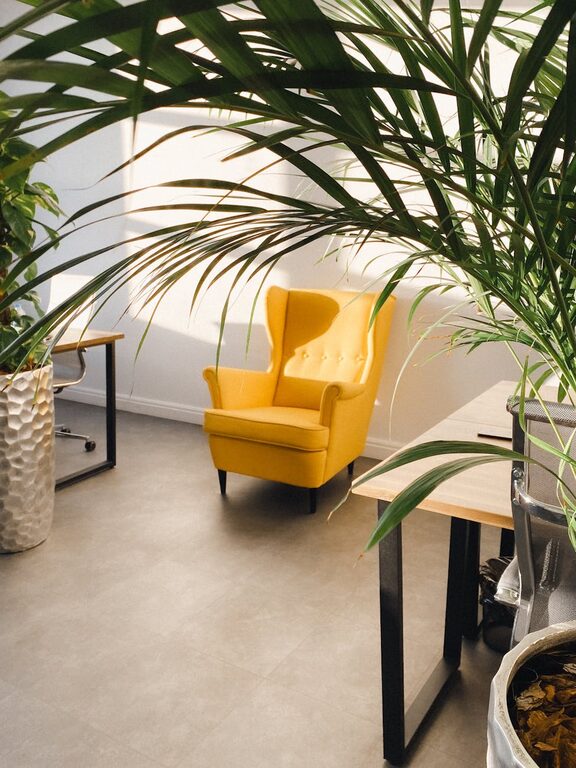
Working near natural light can improve mood and reduce eye strain. If possible, set up your desk close to a window. However, make sure the light does not cause glare on your computer screen.
Invest in Comfortable and Functional Furniture
Ergonomic Chair and Desk
Comfort is key when you spend long hours at your desk. An ergonomic chair supports your back and encourages good posture. Also, choose a desk at a height that keeps your arms at a comfortable position for typing.
Desk Space and Storage
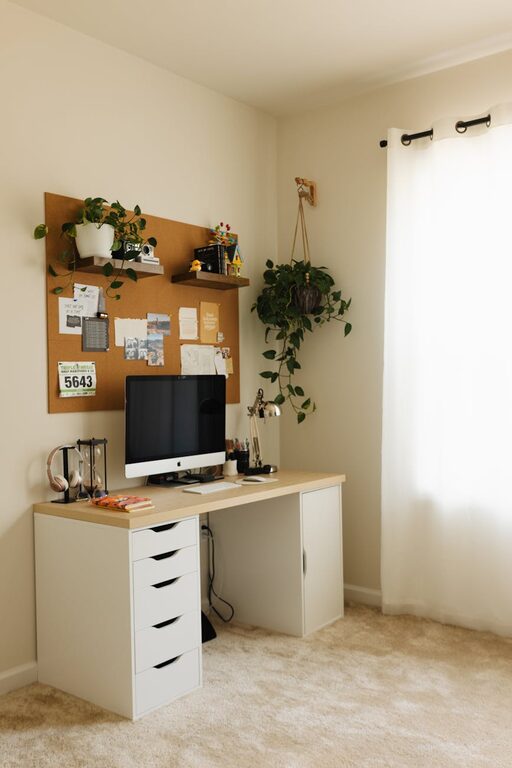
Your desk should be roomy enough to hold your computer, notebooks, and essential supplies without clutter. Add some storage solutions, such as drawers, shelves, or filing cabinets, to keep your items organised and within reach.
Personalize Your Workspace
Add Calming Colors and Decorations
Colours can influence your mood and productivity. Soft, neutral tones create a peaceful atmosphere, while pops of color can stimulate creativity. Add a few personal touches like photos, artwork, or plants to make the space inviting.
Include Plants
Indoor plants not only beautify your space but also improve air quality and reduce stress. Choose low-maintenance plants like succulents, snake plants, or pothos which thrive even with minimal care.
Manage Lighting and Technology
Layered Lighting
Combine natural light with task and ambient lighting. Use a desk lamp with adjustable brightness to focus light where you need it, and consider soft overhead lighting to reduce strain.
Organize Cables
Messy cables can be distracting. Use cable clips, sleeves, or boxes to keep wires neat and avoid tangles.
Reliable Technology
Ensure your internet connection and equipment (computer, printer, speakers) work smoothly to prevent interruptions. Keep software and devices updated for optimal performance.
Create a Routine and Organize Your Time
Define Your Work Hours
Set clear working hours to establish boundaries between work and personal life. This helps maintain a healthy routine and reduces burnout.
Use Organisational Tools
Planners, calendars, or digital apps can help you manage tasks and deadlines. Keep your to-do lists visible to stay motivated and on track.
Minimise Distractions and Enhance Focus
Noise Management
If you can’t avoid noise, consider soundproofing options like rugs, curtains, or noise-cancelling headphones. Soft background music or white noise can also improve concentration.
Declutter Regularly
A tidy space leads to a tidy mind. Spend a few minutes each day clearing your desk and organising papers to reduce stress and improve efficiency.
Maintain Comfort and Wellbeing
Take Breaks and Move
Remember to take short breaks and stretch regularly. Movement boosts circulation and helps reduce fatigue.
Temperature and Ventilation
Keep your workspace well-ventilated and at a comfortable temperature. Fresh air improves alertness and reduces drowsiness.
—
Designing a cozy and productive home office doesn’t have to be complicated or expensive. By focusing on comfort, organisation, personal style, and healthy habits, you can create a workspace where you enjoy spending your time and get your best work done. Start with small changes and see how your home office transforms into a space that truly supports your needs.

Related Posts